Water Damaged Phone Repair Tauranga – What to Do in the First 60 Minutes
A clear, step-by-step educational guide from Care2Phone's technicians — so you know exactly what helps and what doesn't before you bring your phone in.
- Why the first 60 minutes matter most
- Step 1 — Remove it from water immediately
- Step 2 — Power off right away
- Step 3 — Remove SIM card, case & covers
- Step 4 — Gently shake & pat dry
- The rice myth — why it likely doesn't help
- Special case: saltwater & pool water
- When to seek professional assessment
- Care2Phone's two Tauranga locations
- Common questions answered
It happens in a split second — a splash at the sink, a slip at the beach, a glass knocked across the table. Your phone hits water and your stomach drops. What you do in the next 60 minutes may determine whether your phone can be saved.
At Care2Phone, our technicians in Tauranga see water-damaged devices come through both our CBD and Greerton branches regularly. Some arrive in recoverable condition. Some don't. The difference almost always comes down to what happened in those first minutes — and the decisions made before the phone reached a professional.
This guide shares the most widely recommended steps for handling a water-damaged phone. Please read the disclaimer above — these are general educational guidelines, not guarantees. Every situation is different.
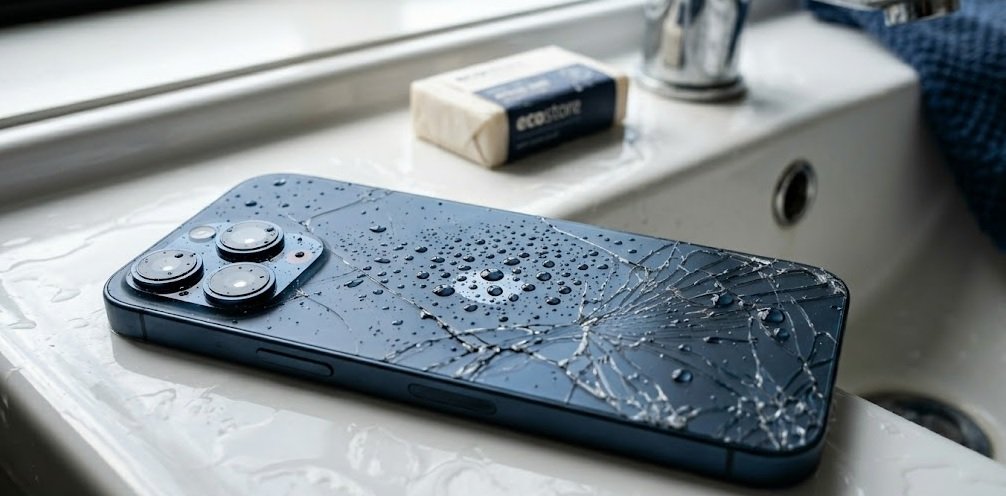
1Remove It From the Water Immediately
Why speed matters here
The moment a phone enters water, liquid begins finding paths through every available opening — charging ports, speaker grilles, microphone holes, and button gaps. The longer it remains submerged, the further water travels into the internal components.
Even a difference of a few seconds less exposure may reduce how deeply water penetrates. Remove the phone from the liquid as quickly as possible.
2Power Off Immediately — Don't Press Anything Else
This is arguably the most critical step. Water and active electrical circuits are a damaging combination. If your phone is still powered on, electricity running through wet components can cause short circuits that permanently damage the logic board or other internal parts.
✅ Do this
- Hold power button, slide to power off
- Act calmly and quickly
- Keep it powered off until assessed by a technician
✗ Avoid this
- Unlocking it to "check if it works"
- Plugging it in to charge
- Pressing buttons repeatedly
- Trying to take a photo with it
- Running any apps to test it
Every unnecessary button press while wet risks pushing water further into the internal circuitry. The phone may appear to work briefly — this doesn't mean it is undamaged. Some water damage effects appear hours or days later as corrosion develops.
3Remove SIM Card, Case & Covers
Remove your SIM card tray and any phone case immediately. If your device has a removable battery (most modern iPhones and Samsung Galaxy phones do not), remove it as well.
A case — especially a tight-fitting one — can trap moisture against the phone body, preventing it from evaporating. Removing it allows better airflow. Ejecting the SIM tray opens a small additional path for moisture to potentially exit rather than pool.
Place the SIM card aside safely — it's unlikely to be damaged by water exposure of short duration.
4Gently Shake & Pat Dry — Carefully
With the phone powered off and the case removed, give the device a few gentle shakes to encourage visible water to exit through ports and grilles. Then use a dry, soft, lint-free cloth to gently pat the exterior surfaces dry.
- Do not blow compressed air directly into ports — this can force water deeper into the device rather than out of it.
- Do not use a hairdryer — even on a cool setting, airflow can redistribute moisture and heat can damage components.
- Do not place it in direct sunlight — intense heat can cause additional damage to the battery and screen.
After these steps, the phone should be kept powered off and brought to a professional repair technician as quickly as possible for proper assessment.
The Rice Myth — What the Evidence Suggests
The "put it in a bag of rice" advice is one of the most widely shared technology tips — and one of the most questioned by repair professionals.
Here is what's commonly discussed in the repair industry:
- Rice absorbs moisture slowly. Compared to professional desiccants (like silica gel packets), standard rice has a relatively low absorption rate. It may take much longer to have a meaningful effect — and time is critical when corrosion is forming.
- Rice dust and particles are a concern. Fine starch particles from rice can potentially enter your phone through the same openings that water used, which may cause additional issues with the charging port or speaker mesh.
- Corrosion doesn't wait. Tap water contains minerals that begin leaving corrosive deposits on circuit board components within hours of exposure. Every hour spent waiting for rice to "work" is time corrosion may be forming.
5Special Case: Saltwater & Pool Water — Act Even Faster
If your phone was dropped at the Mount Maunganui beach, Papamoa, or in a swimming pool, the urgency is significantly higher than a fresh water incident.
The same immediate steps apply: power off, remove case and SIM, gently blot dry. Do not attempt to rinse with fresh water unless advised by a technician — this decision depends on factors specific to your device and situation.
When to Seek Professional Assessment
The general guidance from experienced repair technicians is: the sooner, the better. Water damage assessment is best done by someone with the tools to properly inspect internal components.
A professional assessment typically involves:
- Visual internal inspection — identifying which components show signs of water exposure or corrosion
- Ultrasonic or specialist cleaning — if corrosion is present, professional cleaning may help prevent further damage
- Component testing — checking the battery, screen, charging port, speakers, cameras, and logic board
- Clear diagnosis and quote — understanding what, if anything, can be repaired and at what cost
- Honest outcome expectation — water damage outcomes vary; a good technician will tell you what's realistic
📋 Quick Reference — The 60-Minute Checklist
- Remove phone from water immediately — every second counts
- Power it off completely — do not press other buttons
- Remove SIM card tray and phone case
- Gently shake to remove visible water, pat dry with a cloth
- Do NOT use rice, hairdryer, compressed air, or direct sunlight
- Keep it powered off and bring it to a technician as soon as possible
Care2Phone's Two Tauranga Locations
If you're in Tauranga and need a water damage assessment, Care2Phone has two locations available. No appointment is needed — walk-ins are welcome. A diagnostic assessment fee may apply for complex faults including water damage; we always advise you before any paid work begins.
Tauranga 3110
Greerton, Tauranga 3112
Both branches service iPhones, Samsung Galaxy, iPad, Google Pixel, Oppo, Huawei, Vivo, OnePlus, laptops, MacBooks, and more. Check our pricing page or get a free quote online anytime.
Common Questions About Water Damage
Get Your Water-Damaged Phone Assessed Today
Don't wait — the sooner a technician can assess your device, the better. Walk in to either of our Tauranga branches, no appointment needed.